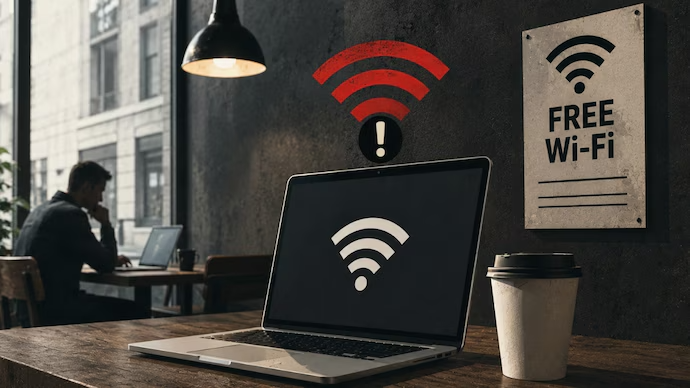
Free Hotel Wi-Fi Can Create Hidden Risks
Free hotel Wi-Fi looks harmless when you are travelling, especially after a long journey. You arrive at your room, connect your phone or laptop, and expect everything to work normally. However, Microsoft has repeatedly warned that public Wi-Fi networks can create privacy and security problems for users. Hotel networks can sometimes be unsecured, poorly configured, or vulnerable to attacks from people nearby. Microsoft explains that some public hotspots may use weak encryption or even have no authentication at all.
That does not mean every hotel Wi-Fi network is automatically dangerous for travellers. The bigger issue is that users often cannot easily understand how secure the network actually is. A network name showing the hotel name does not prove that the connection belongs to the hotel. Cybercriminals can create fake networks with familiar names and wait for unsuspecting travellers to connect. This makes hotel Wi-Fi security something worth thinking about before opening important accounts.
Fake Wi-Fi Networks Look Completely Normal
One of the biggest concerns involves something Microsoft describes as an “Evil Twin” attack. In this situation, an attacker can create a Wi-Fi hotspot using a name similar to a legitimate public network. A traveller searching for the hotel network may see several familiar-looking options and select the wrong one. The fake network can then become a pathway for attempts to collect personal information.
The problem becomes even bigger when devices automatically connect to remembered networks. Microsoft explains that attackers can copy publicly known Wi-Fi names used by airports, hotels, coffee shops, and other public locations. A device that remembers the network may try connecting automatically when that name appears nearby.
Personal Information Could Become Exposed
Travellers often use hotel internet for much more than watching videos or checking social media. People may access work emails, cloud storage, online banking, shopping accounts, travel bookings, and private documents while staying away from home. Connecting sensitive activities to an untrusted network can therefore create unnecessary security exposure.
Microsoft says attackers may potentially snoop on traffic when users connect through unsecured public Wi-Fi. Man-in-the-middle attacks are another concern, where criminals can position themselves between a device and online services. These attacks can sometimes trick users into entering information into malicious websites that appear legitimate.
HTTPS Does Not Solve Everything
Many people believe that seeing the padlock symbol in their browser makes every public Wi-Fi connection completely safe. Secure websites certainly provide important protection, but users should not treat that as permission to ignore the network itself. A secure connection between your browser and a website does not automatically make an unsafe hotspot trustworthy.
The safest approach is reducing the amount of sensitive activity performed through networks you do not control. Banking, workplace administration, confidential documents, and important account changes can usually wait until you have a trusted connection. When something cannot wait, using mobile data or a properly configured VPN can provide an additional layer of protection.
Your Phone Hotspot May Be Better
Travellers with a mobile data plan have another option that is often more convenient. Instead of connecting a laptop directly to hotel Wi-Fi, they can use their smartphone as a personal hotspot. Microsoft specifically recommends considering mobile carrier data when secure public networks are unavailable.
This option does have some practical limitations that travellers should remember. Mobile data can become expensive when travelling internationally or when the plan has strict limits. International roaming charges can also create unpleasant surprises after returning home. Still, for short periods involving sensitive work, personal hotspot connections can be a sensible alternative to unknown public networks.
VPN Adds Another Security Layer
A VPN can also help people using public networks during travel. Microsoft explains that a VPN creates an encrypted connection between the device and a VPN server. This means someone watching the public network may see that a VPN connection exists, while the information travelling inside that encrypted tunnel remains protected.
A VPN should not be treated as a magical security button, though. Users still need strong passwords, updated devices, multi-factor authentication, and careful browsing habits. A VPN also does not protect someone from willingly entering information into a fake website. The network connection can be protected while the user is still being fooled by a convincing phishing page.
Do Not Let Devices Connect Automatically
Automatic Wi-Fi connections are convenient at home, but they can become risky while travelling. Your phone or laptop may remember networks from previous trips and attempt to reconnect whenever the same network name appears. This behaviour can create opportunities for attackers using fake access points.
Microsoft recommends avoiding automatic connections to public Wi-Fi networks and removing networks that you no longer control. Travellers should check their saved network list before taking important trips. Forgetting old hotel, airport, restaurant, and café networks can take only a few minutes. That small habit can prevent a device from automatically joining an unexpected hotspot later.
Hotel Login Pages Need Careful Attention
Many hotels use captive portals where guests connect to Wi-Fi and then enter a room number, password, email address, or other information. These login pages can make a network look more official because the user expects some form of authentication. However, travellers should still make sure they are connecting to the correct hotel network.
Microsoft notes that captive-portal networks, including hotel and airport Wi-Fi, can be flagged as unsecured because connecting to them does not necessarily require network-level authentication. If a login page suddenly asks for unusual payment information, account credentials, or sensitive details, users should stop and verify the situation with hotel staff.
Keep Your Devices Updated Before Travelling
Wi-Fi security is only one part of staying safe online during travel. Phones, laptops, browsers, and security applications should be updated before leaving home. Software updates frequently include security improvements that can protect devices from known vulnerabilities.
Travellers should also activate screen locks and use strong authentication methods on important accounts. Microsoft recommends updating account security information before travelling and suggests using Microsoft Authenticator for additional account protection. Multi-factor authentication can make it considerably harder for someone to access an account even when a password becomes exposed.
What Travellers Should Avoid
There are some simple habits that can reduce unnecessary exposure while using hotel internet. Avoid entering banking information through suspicious pages, downloading unknown files, or accepting unexpected browser security warnings. Do not install random applications simply because a hotel login page tells you that they are required.
Travellers should also avoid saving passwords directly inside unfamiliar browsers or shared computers. Public computers can create different security concerns because users have less control over installed software and stored information. If possible, personal devices with updated security protections are a much better option for important online activities.
Microsoft Does Not Say Every Hotel Wi-Fi Is Dangerous
It is important to understand the warning correctly before becoming overly worried. Microsoft is not saying that every hotel Wi-Fi network is operated by hackers or that every connection will result in stolen information. The warning is mainly about the security limitations that can exist when people use networks they do not control.
Microsoft recommends choosing encrypted public networks whenever possible and considering a VPN when public Wi-Fi must be used. It also recommends using mobile carrier data as another option when secure networks are unavailable. These recommendations are practical because travellers can continue using the internet without automatically trusting every available hotspot.
A Few Simple Steps Can Help
Before connecting to hotel internet, check the exact network name with reception staff. Turn off automatic Wi-Fi connections so your device does not join unknown networks without permission. Keep your operating system, browser, antivirus software, and important applications updated before travelling.
For sensitive work, consider using mobile data or a trusted VPN instead. Avoid accessing highly important accounts when the network looks suspicious or behaves unusually. Once the trip is over, forgetting the hotel network from your device is another useful step.
Final Thoughts For Safer Travel
Free hotel Wi-Fi is convenient, but convenience should not become a reason to ignore basic cybersecurity. Microsoft’s guidance highlights genuine risks involving unsecured networks, fake hotspots, automatic connections, and attackers attempting to intercept information. Travellers do not necessarily need to stop using hotel internet completely, but they should understand what they are connecting to before doing anything sensitive. Mobile hotspots, VPNs, updated software, strong passwords, and multi-factor authentication can make travel connections considerably safer. A few extra minutes of preparation before a journey can prevent much bigger problems later. Stay informed, protect your devices, and make safer connectivity choices whenever you travel.
Read More :-